5 Google Sheets Formulas AI Can Write for You (And How to Use Them)
Why Use AI for Your Sheets Formulas?
Google Sheets is powerful, but advanced formulas (QUERY, ARRAYFORMULA, IMPORTRANGE…) remain intimidating even for experienced users. Good news: Gemini can write them for you in one sentence.
Here are 5 concrete cases and the exact prompts to use.
1. Consolidate Data From Multiple Sheets
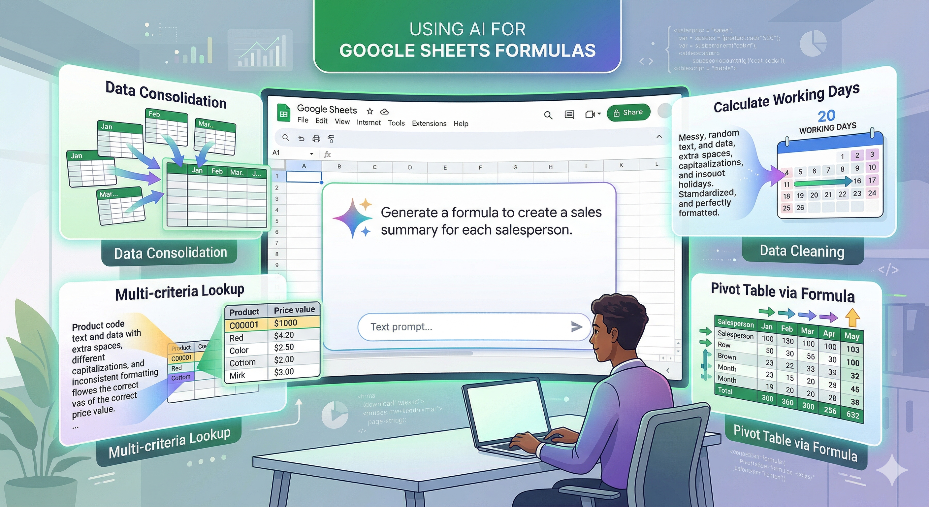
Need: You have 12 tabs (one per month) and want a consolidated view on a "Summary" tab.
Prompt: "Generate a Google Sheets formula to concatenate data from column A across 12 sheets named January, February... December, starting from row 2."
What Gemini generates: a QUERY formula combined with IMPORTRANGE or INDIRECT depending on context.
2. Look Up a Value Based on Multiple Criteria
Need: Find a product price based on both its reference code AND its color in a table.
Prompt: "Formula to search a table where column A matches 'CODE' AND column B matches 'RED', and return the value from column C."
What Gemini generates: a multi-criteria XLOOKUP or a combined INDEX/MATCH.
3. Clean and Normalize Imported Data
Need: Names with random capitalization, extra spaces, inconsistent formatting.
Prompt: "Formula to clean column A: remove leading and trailing spaces, capitalize the first letter, make the rest lowercase."
What Gemini generates: a PROPER + TRIM combination, sometimes with REGEXREPLACE for complex cases.
4. Calculate a Delay in Working Days
Need: Number of business days between an order date and a delivery date, excluding weekends.
Prompt: "Google Sheets formula to calculate the number of working days between the date in A2 and the date in B2, excluding weekends."
What Gemini generates: =NETWORKDAYS(A2,B2)-1 with explanation and a variant including public holidays.
5. Generate a Pivot Table Using a Formula
Need: An automatic summary of sales by salesperson and by month.
Prompt: "Google Sheets formula to create a table showing, for each unique salesperson (column A), the sum of sales (column C) by month (column B)."
What Gemini generates: a QUERY with GROUP BY and PIVOT.
The key: describe the expected result, not the formula. Say "I want to get..." rather than "generate an INDEX MATCH". AI understands business needs better than technical jargon.
Want to Go Further With Apps Script?
When formulas aren't enough, Apps Script enables real automation. My Apps Script Library contains ready-to-use scripts for Google Sheets, Gmail, and Drive.
Discover my AI tools
Explore the Gemotheque, generate optimized prompts for ChatGPT and Midjourney, or test my dedicated AI assistants.